Disclosure: This article contains affiliate links. If you purchase through one of these links, Beglance may earn a commission at no additional cost to you. Product specifications, compatibility, prices and availability can change.
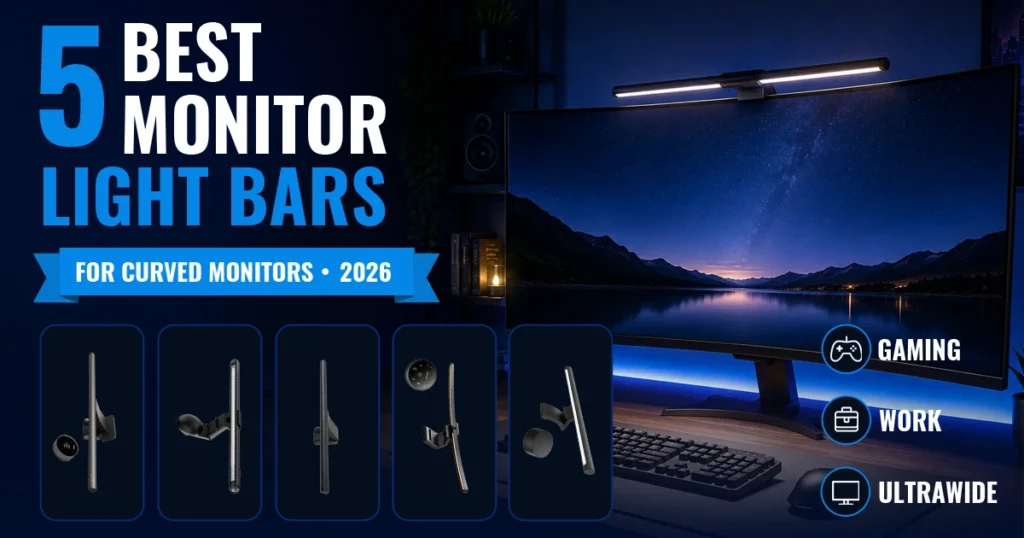
The best monitor light bars for curved monitors combine a secure curve-compatible mount with controlled desk lighting that avoids reflecting directly from the screen. BenQ ScreenBar Halo 2 is our best overall recommendation because its manufacturer specifies support for 1000R–1800R curved monitors, a broad monitor-thickness range, front and rear lighting, and a rechargeable wireless controller.
For a large 34-inch-plus ultrawide screen, the 26-inch Quntis foldable model provides wider coverage. ASUS offers the strongest gaming and RGB integration, while the BenQ ScreenBar Pro prioritizes broad automatic task lighting and the Xiaomi Mi Computer Monitor Light Bar is the simpler value choice.
Quick recommendations
- Best overall: BenQ ScreenBar Halo 2
- Best for 34-inch-plus ultrawide monitors: Quntis 26-Inch Foldable Curved Monitor Light Bar
- Best for ASUS gaming setups: ROG Aura Monitor Light Bar ALB01
- Best for wide desk coverage: BenQ ScreenBar Pro
- Best simple value option: Xiaomi Mi Computer Monitor Light Bar
Best Monitor Light Bars for Curved Monitors Compared
| Product | Published Curved-Monitor Fit | Controls | Best For | Main Trade-Off |
|---|---|---|---|---|
| BenQ ScreenBar Halo 2 | 1000R–1800R; 0.43–6 cm thick | Rechargeable wireless controller | Premium work and mixed-use setups | Highest-cost option in this guide |
| Quntis 26-Inch Foldable Curved Light Bar | 1000R/1800R; designed for 34-inch-plus ultrawides | Wireless remote and auto brightness | Large ultrawide screens | Large RGB design may be excessive for minimalist desks |
| ROG Aura ALB01 | Curved monitors 6–30 mm thick | Physical controls and ASUS software | ASUS Aura gaming ecosystems | Premium features are less useful without an ASUS setup |
| BenQ ScreenBar Pro | 1000R–1800R; 0.43–6.5 cm thick | Touch controls, auto dimming and motion sensor | Wide professional workspaces | No rear ambient lighting or wireless controller |
| Xiaomi Mi Computer Monitor Light Bar | Curved screens 1–32 mm thick | 2.4 GHz wireless dial | Simple, space-saving task lighting | No rear RGB or ambient backlight |
Compatibility figures above are manufacturer-published specifications. Measure your monitor at its top-center mounting point before purchasing, especially if it has a thick rear housing, central bulge, built-in webcam or unusually thin OLED panel.
How We Selected the Best Monitor Light Bars for Curved Monitors
We reviewed official manufacturer specifications for curved-screen compatibility, mounting range, light direction, color-temperature adjustment, controls, desk coverage and webcam clearance. We prioritized models whose manufacturers explicitly mention curved monitors rather than assuming that a conventional weighted clip will fit.
Beglance did not independently measure brightness, color accuracy or long-term clamp stability. Specifications such as lux, color-rendering index and supported thickness are presented as manufacturer claims rather than our laboratory results.
Our evaluation focused on five practical questions:
- Does the manufacturer explicitly support curved monitors?
- What screen thickness or curvature range is stated?
- Does the light direct illumination toward the desk instead of the display?
- Can brightness and color temperature be adjusted conveniently?
- Does the mount leave enough room for the monitor housing and webcam?
If you are building a complete workspace rather than changing only the lighting, see our aesthetic desk setup ideas.
1. BenQ ScreenBar Halo 2: Best Overall
Best for: Professionals, designers and programmers who want a premium light with clearly stated curved-monitor compatibility and convenient wireless control.
BenQ ScreenBar Halo 2 is the most complete option in this comparison. BenQ specifies compatibility with monitors measuring 0.43–6 cm thick and curved screens from 1000R to 1800R. That published range covers many common curved gaming and ultrawide displays, although the rear housing still needs to provide a stable contact point for the clamp.
The front light uses BenQ’s asymmetric lighting design to direct illumination toward the desk. A tri-zone rear light brightens the wall behind the monitor, and the front and rear outputs can be adjusted independently. The color-temperature range runs from 2700K to 6500K.
The rechargeable wireless controller displays brightness and color temperature and can last up to three months per charge according to BenQ. The light also includes a dedicated webcam-mount accessory, making it the most practical choice here for people who regularly join video meetings.
Why choose it:
- Explicit support for 1000R–1800R curved monitors.
- Broad published monitor-thickness range.
- Separate front and rear lighting adjustments.
- 2700K–6500K color-temperature control.
- Rechargeable wireless controller.
- Webcam-mount accessory included.
Reasons to skip it: It is the premium-priced choice, and buyers who need only basic white task lighting may not use the rear light or advanced controller enough to justify the additional cost.
Review the official BenQ ScreenBar Halo 2 specifications.
👉 Check BenQ ScreenBar Halo 2 on Amazon
2. Quntis 26-Inch Foldable Curved Monitor Light Bar: Best for Large Ultrawides
Best for: Owners of 34-inch-plus 1000R or 1800R ultrawide monitors who want a longer light bar with adjustable folding sections.
A standard straight light bar may leave the edges of a very wide desk darker. This Quntis model addresses that problem with two foldable lighting sections and an extended width of approximately 25.74 inches. Quntis specifically markets it for 34-inch-plus curved ultrawide displays and 1000R/1800R screens.
The 45-degree asymmetric front light is designed to send light down toward the workspace. Quntis publishes a color-rendering index above 98 and offers adjustable white light from 3000K to 6500K. The rear section provides 15 RGB modes, while a built-in sensor can adjust brightness according to the surrounding light.
A wireless remote controls brightness and color temperature. The light also remembers the previous setting after losing power, which is useful when it is connected to a monitor, USB hub or switched power strip.
Why choose it:
- Foldable 26-inch design for wider desk coverage.
- Explicit support for 34-inch-plus ultrawide curved monitors.
- Published compatibility with 1000R and 1800R screens.
- Wireless remote and automatic brightness adjustment.
- Front task lighting plus rear RGB effects.
Reasons to skip it: The large folding body and RGB backlight may look excessive on a compact or minimalist workstation. Confirm that the exact Amazon listing matches the 26-inch foldable model, because Quntis sells several similarly named light bars.
Review the official Quntis 26-inch curved light-bar specifications.
👉 Check Quntis 26-Inch Curved Monitor Light Bar on Amazon
3. ASUS ROG Aura Monitor Light Bar ALB01: Best for ASUS Gaming Setups
Best for: Gamers who already use ASUS Aura-compatible equipment and want task lighting and synchronized RGB in one device.
The ROG Aura ALB01 uses a clamp and rotating magnetic buckle designed for both flat and curved displays. ASUS publishes a curved-monitor thickness range of 6–30 mm, giving buyers a more useful compatibility check than a general “universal fit” statement.
Its asymmetric front light aims illumination at the desktop while minimizing reflections on the display. Three modes let you use the front task light, the Aura RGB rear light or both together. Color temperature adjusts from 2700K to 6500K.
Controls are available directly on the light bar, while ASUS DisplayWidget Center provides software-based adjustments. Aura Sync integration is its main advantage over simpler monitor lamps.
Why choose it:
- Manufacturer-published curved-monitor thickness range.
- Precision clamp and rotating magnetic buckle.
- Separate front, RGB and combined modes.
- 2700K–6500K adjustable white light.
- ASUS Aura Sync and DisplayWidget Center support.
Reasons to skip it: Its strongest benefit is integration with an ASUS gaming setup. For a basic home office, the RGB and software features may add cost without improving the task-lighting experience.
Review the official ASUS ROG Aura ALB01 specifications.
👉 Check ASUS ROG Aura Monitor Light Bar ALB01 on Amazon
4. BenQ ScreenBar Pro: Best for Wide Desk Coverage
Best for: Professionals and creators using curved or ultrawide monitors who want broad, automatic task lighting without rear RGB.
BenQ states that the ScreenBar Pro supports flat, curved and ultrawide displays. Its patented clamp fits monitors from 0.43 to 6.5 cm thick and curved screens from 1000R to 1800R, making it one of the clearest compatibility matches in this guide.
The asymmetric optical design directs light toward the desk while minimizing reflections on the monitor. BenQ publishes center illumination above 1,000 lux at a height of 50 cm and an 85 × 50 cm workspace receiving at least 500 lux.
Integrated touch controls adjust the brightness and provide eight color-temperature settings from 2700K to 6500K. Automatic dimming adjusts the output according to the surrounding light, while an ultrasonic motion sensor can turn the light on when you approach and switch it off after five minutes of absence.
Why choose it:
- Explicit support for curved monitors from 1000R to 1800R.
- Wide monitor-thickness range of 0.43–6.5 cm.
- Broad 85 × 50 cm task-lighting coverage.
- Automatic dimming and motion-based on/off control.
- Integrated touch controls and USB-C power.
Reasons to skip it: It does not include rear ambient lighting or a separate wireless controller. Users who want front and rear illumination may prefer the BenQ ScreenBar Halo 2.
Review the official BenQ ScreenBar Pro specifications.
👉 Check BenQ ScreenBar Pro on Amazon
5. Xiaomi Mi Computer Monitor Light Bar: Best Simple Value Option
Best for: Home-office users who want adjustable white task lighting and a wireless control dial without RGB effects or app setup.
The Xiaomi Mi Computer Monitor Light Bar is the most straightforward recommendation here. Xiaomi says its 40-degree base pivot works with curved screens measuring 1–32 mm thick. The magnetic light body can be adjusted by up to 25 degrees to refine the light direction.
The 448 mm bar offers 2700K–6500K color-temperature adjustment and a published Ra95 color-rendering index. A 2.4 GHz wireless dial controls brightness and color temperature, while the 5W USB-powered design keeps the setup simple.
The Xiaomi light does not include rear ambient or RGB lighting. Like the BenQ ScreenBar Pro, it focuses on front-facing desk illumination. This can be an advantage if you prefer a cleaner setup and only need light for a keyboard, notebook or documents.
Why choose it:
- Explicit support for curved screens 1–32 mm thick.
- Wireless brightness and color-temperature dial.
- 2700K–6500K adjustment.
- Magnetic 25-degree lamp-angle adjustment.
- Simple 5W USB-powered design.
Reasons to skip it: There is no rear ambient light, automatic dimming or RGB ecosystem. Xiaomi also notes that screens thinner than 10 mm may require manual support while adjusting the lamp angle.
Review the official Xiaomi Mi Computer Monitor Light Bar specifications.
👉 Check Xiaomi Mi Computer Monitor Light Bar on Amazon
Why Curved-Monitor Compatibility Matters
When comparing the best monitor light bars for curved monitors, mounting compatibility matters before brightness or RGB features. A curved screen changes how a light bar rests on the monitor. The front contact point, rear counterweight and center of gravity may sit differently than they do on a flat display.
A light bar can appear stable at first but tilt, wobble or place too much pressure on a thin top edge if the mount does not match the housing.
The curvature number also matters. A 1000R monitor has a tighter curve than an 1800R monitor. Some manufacturers publish a radius range, while others specify only screen thickness or make a broader compatibility statement.
Do not judge fit using screen size alone. Two 34-inch monitors may have different curvature, thickness, bezels, ventilation openings and rear housings.
What to Measure Before Buying
1. Top-Center Monitor Thickness
Measure the exact position where the clamp will sit. Do not rely on the monitor’s maximum depth listed in its general specifications, because that figure may include the stand or a rear bulge far below the mounting point.
2. Curvature Radius
Look for a number such as 1000R, 1500R or 1800R in the monitor specifications. When a light-bar manufacturer publishes a supported radius range, confirm that your screen falls within it.
3. Rear Housing and Ventilation
Check whether a central bulge, cooling vent or decorative panel prevents the rear part of the clamp from sitting flat. Never block a monitor’s ventilation opening.
4. Webcam Position
A light bar and webcam often compete for the same space. Choose a model with a dedicated webcam accessory, place the camera above the bar using an approved mount or confirm that the webcam can sit elsewhere without entering the light path.
5. Screen Material and Top-Edge Strength
Use extra care with very thin or flexible displays. Follow the monitor and light-bar manufacturers’ instructions, use the supplied protective pads and do not overtighten an adjustable clamp.
Do Monitor Light Bars Reduce Screen Glare?
A well-aimed asymmetric light bar is designed to illuminate the desk while limiting light directed at the display. However, no product can guarantee a reflection-free result in every room. Monitor coating, lamp angle, brightness, nearby windows and glossy surfaces all affect glare.
OSHA recommends arranging computer workstations to minimize glare, using indirect or shielded lighting and directing lamps away from the user’s line of sight. Read the OSHA computer-workstation lighting guidance.
After installation, turn the monitor off and inspect its dark surface for visible reflections. Adjust the bar angle and brightness until the desk is illuminated without a bright band appearing on the screen.
Monitor Light Bar vs Desk Lamp
A monitor light bar saves desk space and places task lighting directly above the screen. It is useful when a large monitor already occupies most of the workspace or when a conventional lamp produces a reflection from one side.
A desk lamp remains more flexible. It can illuminate books, crafts, video-call backgrounds or other areas away from the keyboard. It also avoids placing any weight on a thin monitor.
Choose a monitor light bar when desk space and screen-focused task lighting are the priorities. Choose a desk lamp when you need to reposition the light frequently or your monitor cannot safely support a clamp. We will compare these approaches in more detail in our next Work & Tech guide.
How to Set Up a Monitor Light Bar Correctly
- Turn off the monitor and disconnect it if necessary.
- Clean dust from the top-center bezel and rear contact area.
- Install the supplied clamp without forcing or overtightening it.
- Confirm that no cooling vent, camera or sensor is obstructed.
- Connect the recommended USB power source.
- Start with moderate brightness and a neutral color temperature.
- Angle the light toward the keyboard or documents rather than the screen.
- Check stability by gently adjusting the lamp using the manufacturer’s instructions.
For more workspace improvements, see our aesthetic home-office upgrades.
Final Verdict
Among the best monitor light bars for curved monitors, BenQ ScreenBar Halo 2 is our best overall recommendation. Its published 1000R–1800R compatibility, broad thickness range, front-and-rear lighting and rechargeable wireless controller make it the most balanced choice for work, creative tasks and occasional gaming.
Choose the BenQ ScreenBar Pro for broad professional desk lighting, automatic dimming and motion-based operation on curved or ultrawide monitors.
Before purchasing, measure the top-center thickness and inspect the rear housing. The best feature list is irrelevant if the clamp cannot sit securely on your specific monitor.
Frequently Asked Questions
What are the best monitor light bars for curved monitors?
BenQ ScreenBar Halo 2 is our best overall recommendation because BenQ specifies support for 1000R–1800R curved monitors and 0.43–6 cm monitor thickness. The 26-inch foldable Quntis model is better suited to 34-inch-plus ultrawide displays.
Can any monitor light bar fit a curved monitor?
No. A generic weighted clip may not sit securely on a curved or rear-bulged housing. Choose a model whose manufacturer explicitly mentions curved displays and compare its supported thickness or curvature with your monitor.
Will a monitor light bar damage an OLED monitor?
It should not be assumed safe for every OLED display. Very thin panels may flex or lack a suitable clamp area. Follow both manufacturers’ instructions, avoid overtightening and contact the monitor manufacturer if the top edge appears too delicate to support an accessory.
Do monitor light bars cause screen reflections?
A properly adjusted asymmetric light bar is designed to limit screen reflection, but results depend on the lamp angle, monitor coating and surrounding room light. Test the setup and reduce brightness or change the angle if you see a bright reflection.
Is backlighting necessary?
No. Rear lighting can soften the contrast between a bright screen and a dark wall or add RGB ambience, but it is optional. A front-only model such as the Xiaomi Mi light bar may be sufficient when you only need to illuminate the desk.
Can I place a webcam above a monitor light bar?
Sometimes. BenQ includes a dedicated webcam-mount accessory with ScreenBar Halo 2. With other models, check the manufacturer’s mounting guidance and confirm that the camera remains secure and does not block or reflect the task light.